

How to Choose Managed Printing Services for a Large Office
We have all been there. It’s ten minutes before a big meeting and the only large office printer on the floor quits. Usually, it isn't even a major mechanical break. It’s a "toner low" warning that nobody saw coming, or a phantom paper jam in a tray that isn't even being used.
In a big office, printing isn’t just about putting ink on paper; it’s a huge logistical headache. When you have fifty or a hundred people relying on a few machines, the cracks in a "buy it and forget it" strategy show up fast.
This is where managed printing services move from being a luxury to a total lifesaver. But picking a partner isn't as simple as looking for the lowest cost-per-page.
Look Past the Shiny Hardware
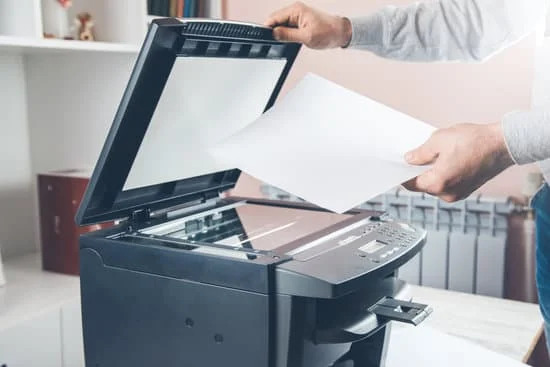
When you're looking around, it’s easy to get distracted by the specs of a new large office printer. You look at how many pages it spits out per minute, but those numbers don't tell you how much time your IT team is going to waste fixing connection errors.
The hardware is actually the least important part of the deal. Any decent IT company in Adelaide can sell you a fast machine. What you’re actually buying is the "service" part of the name.
You want a partner who watches your toner levels from their office and sends a new cartridge before your machine stops working. You want someone who shows up to clean the rollers so the paper jams never happen in the first place.
The Costs You Don't See
If you ask an office manager how much they spend on printing, they’ll probably point to the monthly lease. They usually forget to count the "hidden" drains on the budget:
- The hours IT spends messing with printer drivers and network setups.
- The stacks of wasted paper sitting in the tray that nobody ever picked up.
- The power and desk space taken up by old, clunky desktop printers.
A reputable managed printing services provider will start by looking at your current setup. They should be able to tell you exactly who is printing what and where you can swap three small, expensive printers for one central hub that actually works.
Keeping Your Data Off the Paper Tray
Most people don't realise that a large office printer is basically a computer with a hard drive. If it’s sitting in a corner unsecured, it’s a weak point in your office security.
Think about how many private HR documents or bank statements sit in an open tray for twenty minutes because someone got a phone call on their way to the printer.
When you're looking at managed printing services, ask about "Follow-Me" printing. This makes you swipe a staff ID card or tap in a code at the machine before it starts printing. It prevents "paper pile-up" and ensures that only you see what you print.
Common Questions
What are Managed Printing Services?
It is a service where an outside provider takes over the daily management of your office printers. They handle everything from supplying toner and fixing mechanical breaks to monitoring how much your team is printing to keep costs down.
What are the benefits of managed printing services?
The main benefit is reliability; your staff won't have to deal with broken machines or empty toner. It also lowers your total costs by cutting out wasted paper and freeing up your IT team to work on more important tasks.
Is It Better To Lease Or Buy A Business Printer?
For most big offices, leasing is the way to go. It usually comes with built-in repairs and lets you swap to a newer model every few years. If you buy it outright, you’re stuck with the repair bills yourself as the machine gets older and parts get harder to find.
Final Words
Choosing Managed Printing Services really comes down to how you want your office to run. You can keep dealing with multiple printers, small fixes, and things breaking at the wrong time.
Or you can have a setup where the machines, the costs, and even the security are handled in one place. That’s the difference most large offices end up looking for not just better printers, but a system that actually works without constant attention.
Ready to stop worrying about the printer? Give us a call on Tel 5 to chat about how we can take the hassle out of your daily printing.