

The 24-Hour Reset: A Hack for Maintaining Lexmark Printer Services in High-Output Hubs
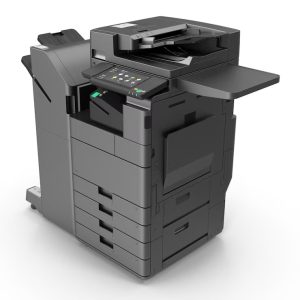
In busy offices, printers are always in use across multiple teams, file types, and priorities. The issue isn’t pressure because these machines are built to handle volume.
What creates friction is everything that builds around that volume. Print queues that never fully clear, repeated user-side errors, and uneven usage across devices all contribute to slowdowns. None of these feel urgent on their own, but together they reduce efficiency in ways that are easy to overlook.
That gradual build-up is where Lexmark printer services sit within day-to-day use, keeping things consistent as volume moves through the system. The 24-hour reset is simply a way of keeping that consistency in check before those small patterns start shaping the day.
Table of Contents
- What the 24-Hour Reset Means
- The 24-Hour Reset Framework for Lexmark Printer Services
- Why This Reset Works Better Than Waiting for Issues
- When You Need More Than a Reset
- Bottom Line
- FAQs
What the 24-Hour Reset Means
The 24-hour reset isn’t a technical reset or a system restart. It’s a simple daily check that keeps your Lexmark Printer Services running clean before issues settle in.
It focuses on how the system is used rather than how it reacts when something fails. The goal is to keep performance steady without adding complexity or downtime.
The 24-Hour Reset Framework for Lexmark Printer Services
Clear the Print Queue
Start by checking for stuck or pending jobs. Even a small backlog can slow down the entire system, especially in shared environments with big printers for office use. Clearing the queue daily prevents issues from carrying over into the next cycle.
Check Consumables Before They Disrupt Work
Toner levels, paper supply, and tray alignment are small details, but they often cause the most visible interruptions. Waiting until something runs out means stopping work mid-task. Staying ahead of these checks keeps everything moving without disruption.
Watch Usage Patterns
Not all printers are used evenly. One device may handle most of the workload while another remains underused. Over time, this imbalance creates delays and unnecessary strain on a single machine. Balancing usage improves performance without requiring additional equipment, and it helps maintain consistency across your Lexmark printer services.
Do a Quick Hardware Walkthrough
You don’t need a technician for this. A quick visual check is often enough to catch early signs like minor paper jams, unusual sounds, or alignment issues. These are not failures yet, but they are indicators. Addressing them early prevents larger disruptions later.
Reset User Habits
A surprising amount of inefficiency comes from repeated user behaviour. Incorrect settings, duplicate print jobs, and unnecessary reprints add up over time.
This is where Lexmark printer support becomes more than just a troubleshooting function. It helps teams use the system correctly, reducing the need for repeated fixes and improving overall efficiency.
Why This Reset Works Better Than Waiting for Issues
- When teams wait for something to stop working, they miss the slow build-up of delays, which means productivity drops before anyone reacts.
- Small issues like stuck queues or repeat jobs don’t look urgent, but they keep compounding, making everyday tasks take longer than they should.
- A reactive approach fixes the visible problem, but the underlying pattern stays the same, so the same issues return.
- The 24-hour reset works because it clears these patterns daily before they have time to affect workflow.
- By keeping usage balanced and queues clean, it reduces unnecessary reprints and avoids bottlenecks.
- Over time, this creates a system that stays predictable, instead of one that needs constant fixing.
When You Need More Than a Reset
The 24-hour reset is effective for maintenance, but it has limits. If the same issues keep returning, delays become consistent, or demand has outgrown the current setup, the problem is no longer routine.
At that stage, a more structured approach is needed. This is where managed printing services or deeper Lexmark printer support can help. Instead of addressing individual issues, they focus on improving how the entire system operates.
Bottom Line
High-output printing environments rarely fail all at once. They slow down gradually through small, repeated inefficiencies. The 24-hour reset works because it addresses those patterns early.
It’s a simple approach, but it creates consistency, which is what keeps Lexmark Printer Services running efficiently over time. If your current setup feels like it needs constant attention, the issue is often not the machine itself, but how the system is being managed.
At Tel5, we simplify how Lexmark printer services run day to day. If your printers are starting to slow things down, it’s time to fix the system, not work around it. Speak to our team and we’ll help you reset it the right way.
FAQs
How often should Lexmark printer services be checked in a busy office?
In high-output environments, a quick daily check is more effective than occasional maintenance. It prevents small issues from building into larger disruptions.
What’s the difference between Lexmark printer support and managed printing services?
Support is typically reactive and focuses on resolving issues when they occur. Managed printing services are proactive and designed to maintain performance, monitor usage, and prevent problems before they affect workflow.
Why do big printers for office environments slow down over time?
The slowdown usually comes from accumulated inefficiencies such as queue delays, uneven usage, and repeated user-side errors, rather than a single technical failure.
Is the 24-hour reset enough for long-term performance?
It works well for maintaining consistency, but if problems keep recurring or demand increases, a more structured service approach may be required.
When should a business consider upgrading its printer setup?
When delays become consistent, usage feels unbalanced, or the system requires frequent intervention to function properly, it may be time to reassess the setup.